PRODUCT GUIDE
From invitation to follow-up.
Follow the meeting from first setup to final record. These images show the current Agenduhs interface with demo meeting data.
01For hosts
Create a meeting
Start now or put a meeting on the calendar.
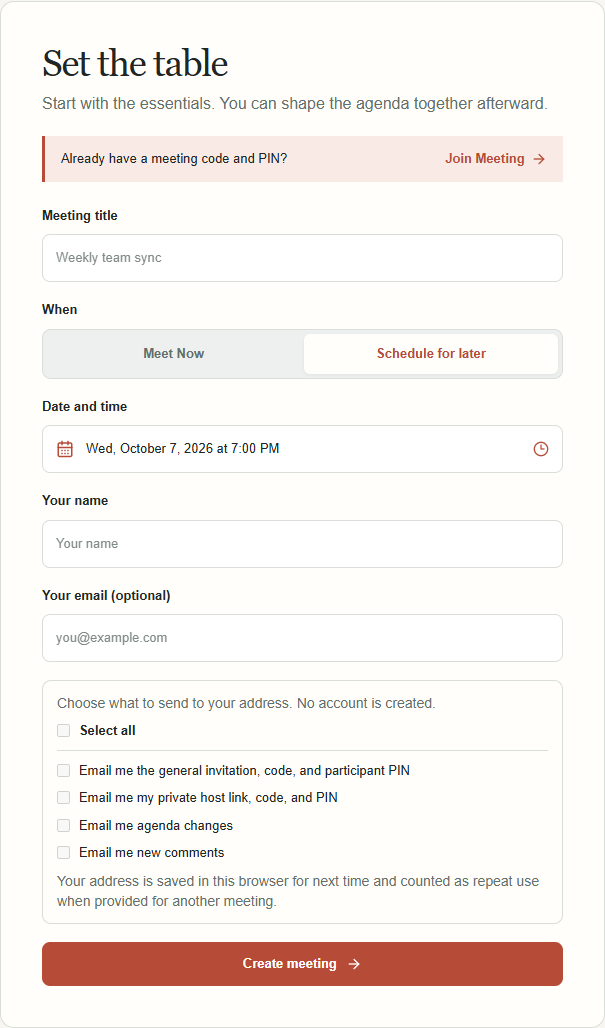
- Open the Meeting Workspace. Enter a title and your name, then choose Meet Now or Schedule for later.
- After creation, save your private host link, code, and PIN. The confirmation also shows the general invitation, participant PIN, and the meeting's retention dates.
02For hosts
Invite people
Choose one shared invitation or personal invitations.
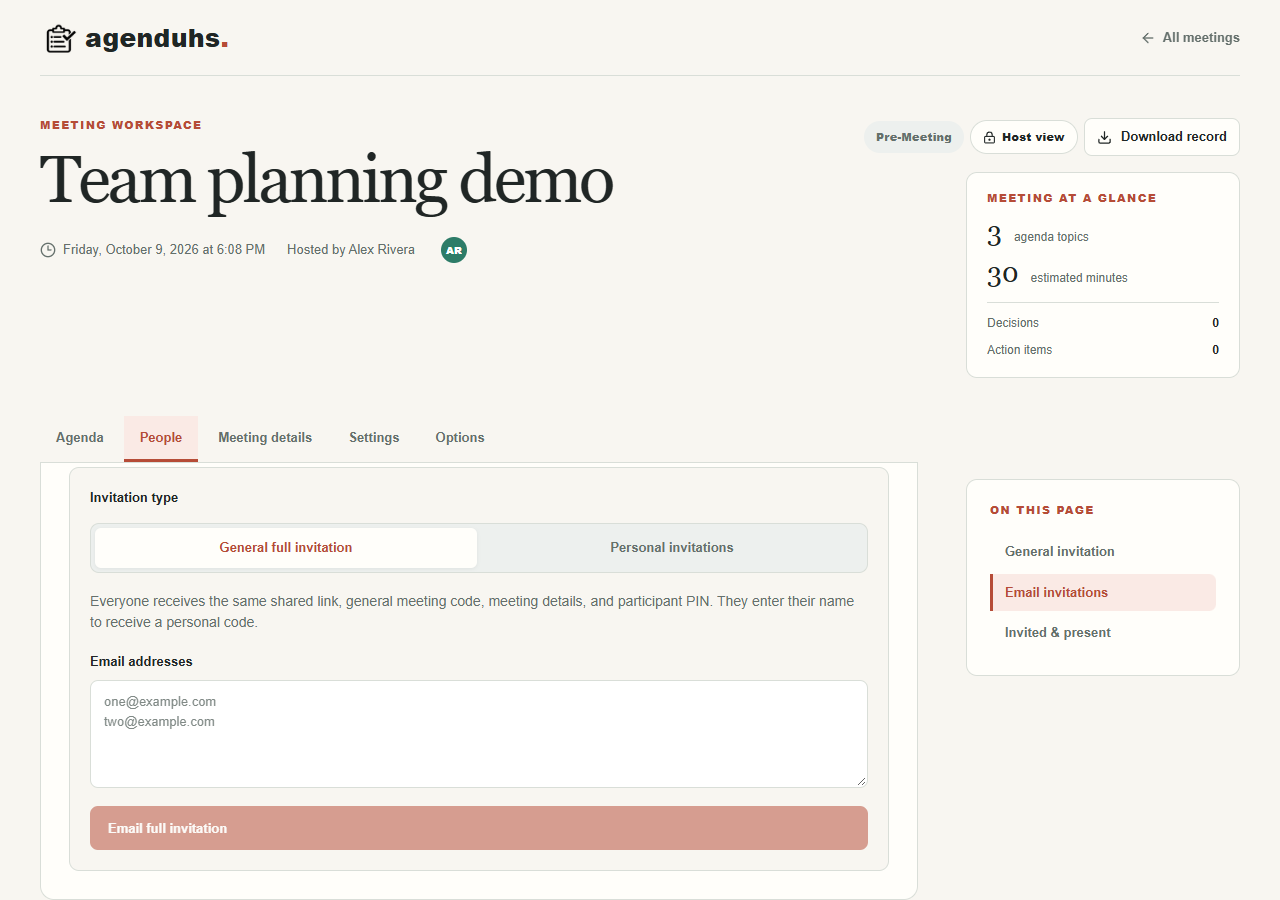
- In People, copy the general link or code and share the participant PIN separately. People using it enter their full name and receive a personal meeting link and code.
- You can also add someone by name and share their individual invitation. The People list keeps each invitation, attendance, and co-host role together.
- To send by email, enter addresses once under Email invitations, then choose a general full invitation or a personal invitation for each recipient.
03For invitees and hosts
Open the meeting
A code and matching PIN open the right view automatically.
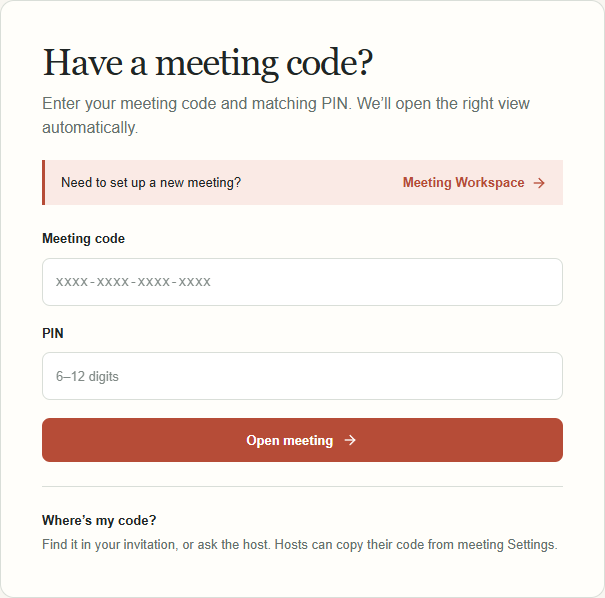
- Go to Join Meeting and enter the code and PIN you received. Hosts use their private host code and host PIN; participants use the invitation code and participant PIN.
- A general invitation asks for your full name before issuing your personal link and code. Keep that personal access for your next visit.
04Before the meeting
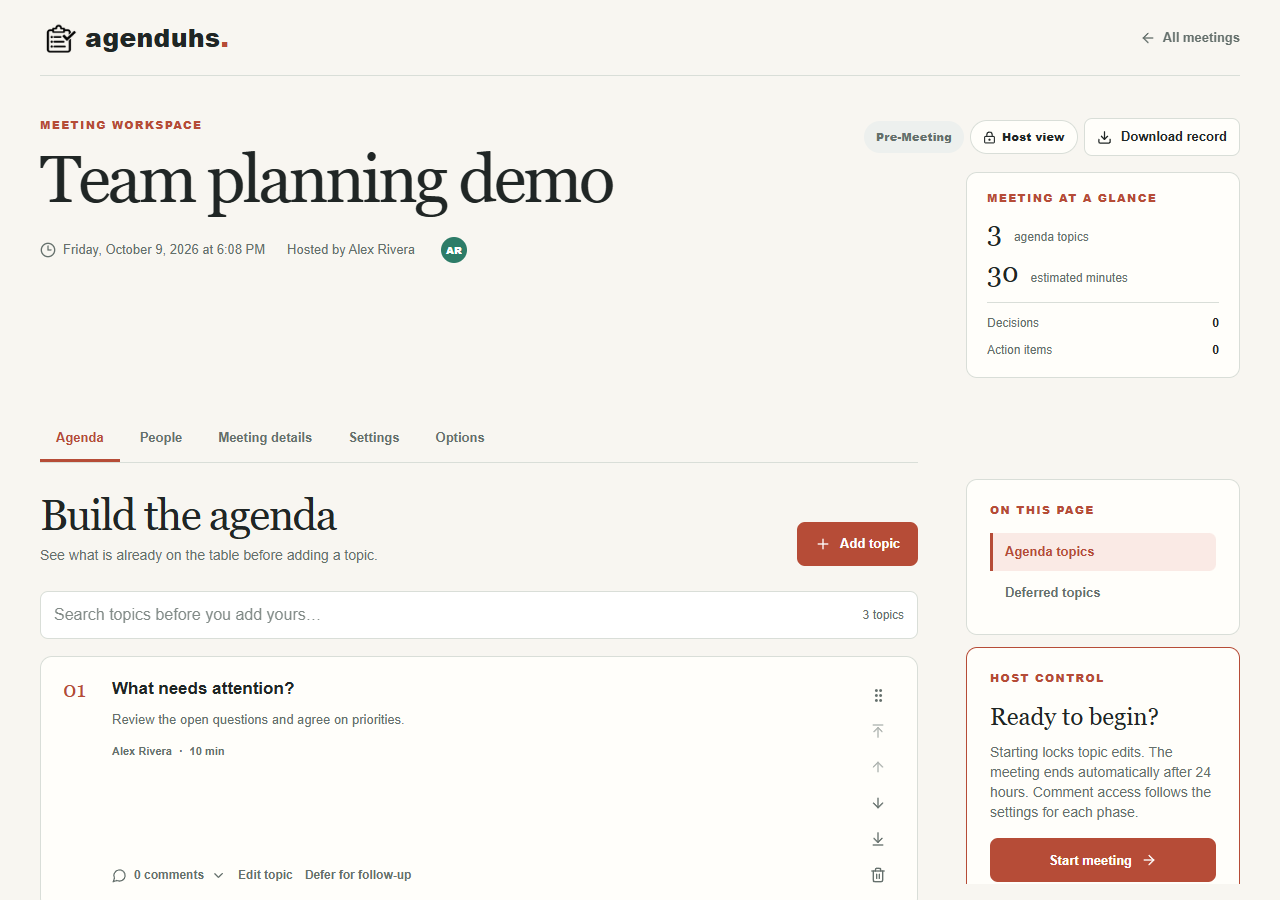
Shape the agenda
Give everyone the same picture of what is on the table.
- Use Agenda to review existing topics before adding one. New topics are untimed unless you choose a time limit. Participants can add or edit their own topics and comment when the meeting settings allow it.
- Hosts can reorder topics, defer an item for follow-up, and set a deadline for participant submissions. The deadline reminder appears as it approaches.
05During the meeting
Guide the conversation
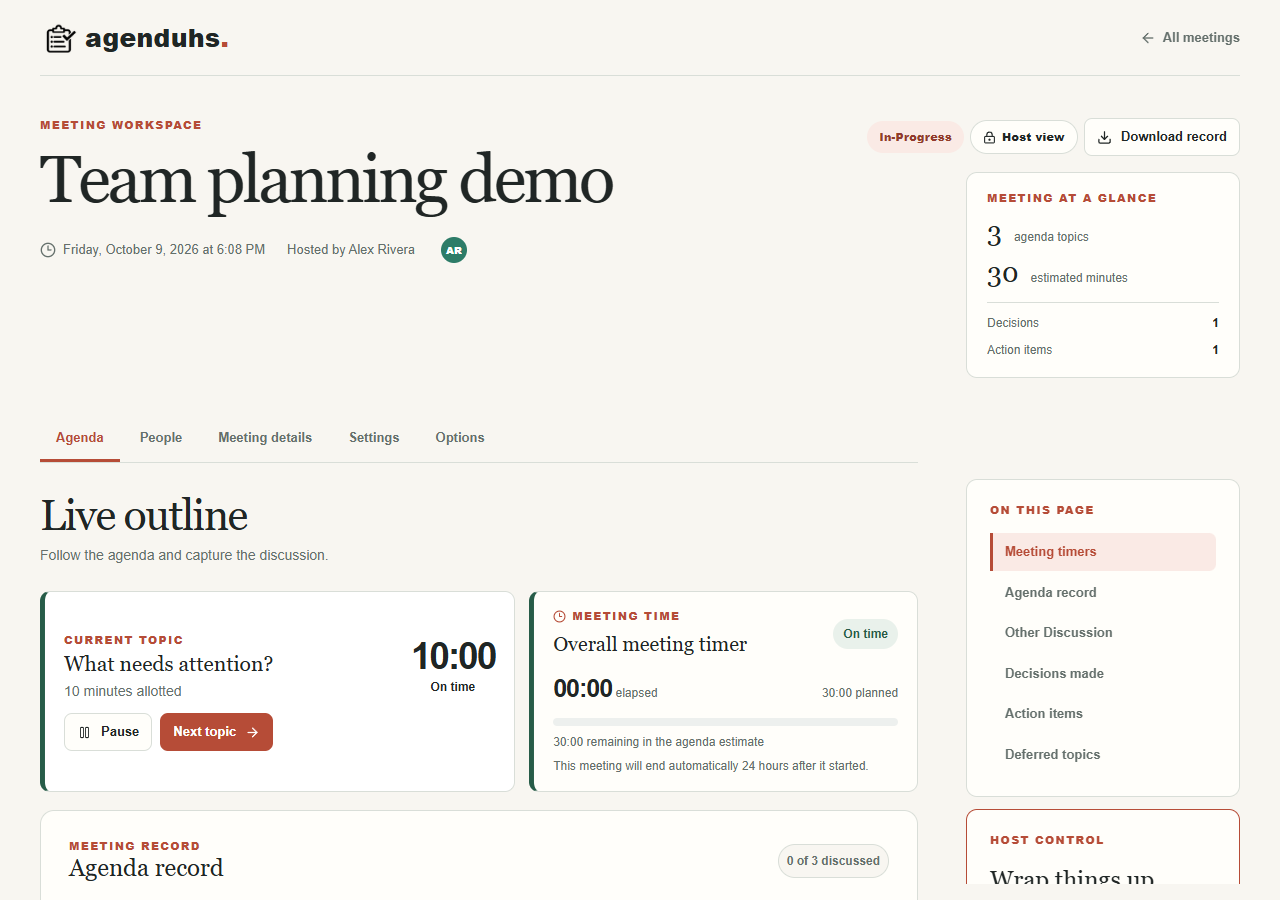
Keep time and capture what actually happened.
- The host starts the meeting. The current topic clock and overall meeting timer appear together. Untimed topics show elapsed time; timed topics show a countdown. Hosts can move to the next topic and mark who is present.
- Record clear, objective minutes, decisions, and assigned actions within each agenda item. Use Other Discussion for an unplanned topic and record its outcomes there too. Meeting changes appear in open views without a manual refresh.
06After the meeting
Finish and share the record
Leave with decisions and next steps people can find.
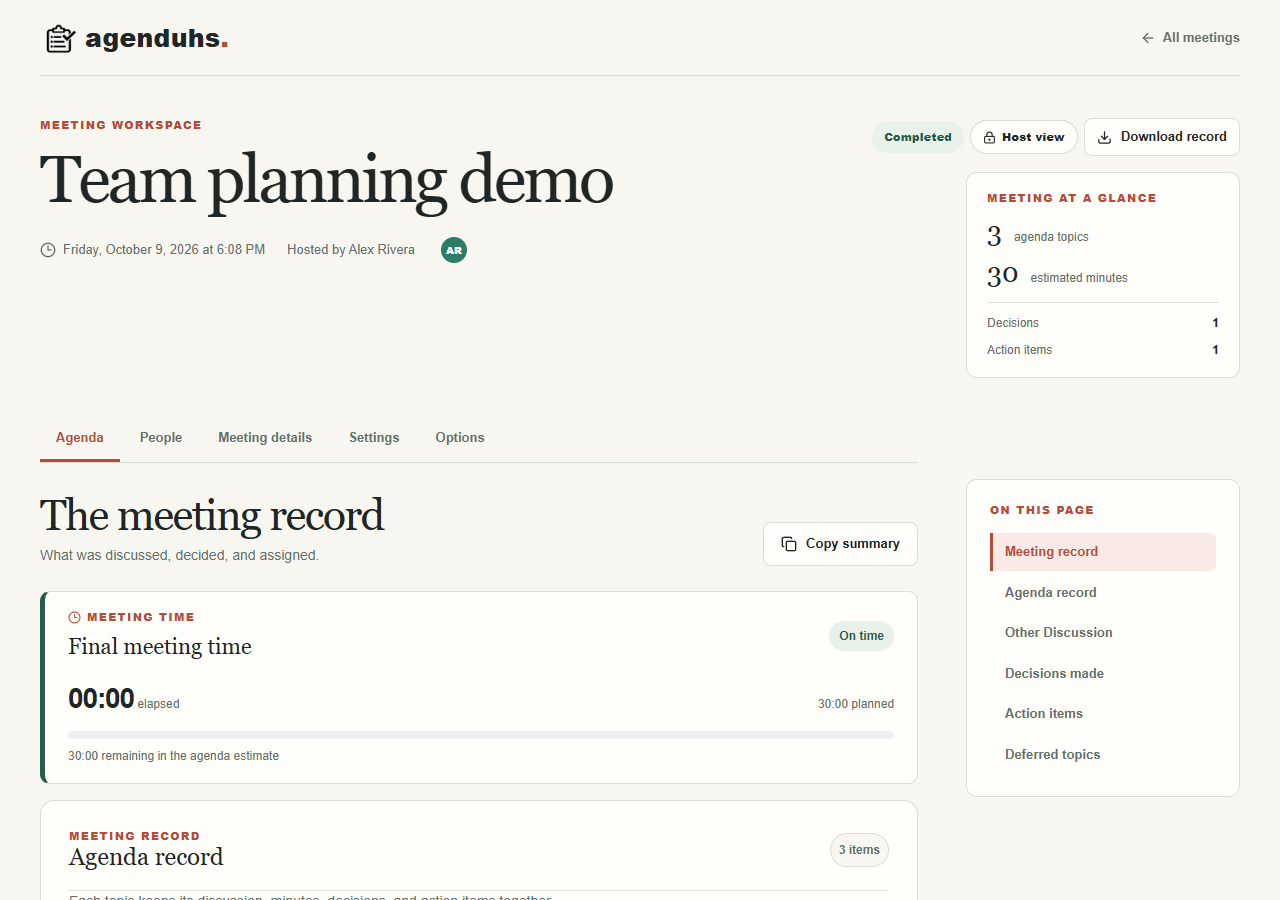
- When the host completes the meeting, agenda item minutes, Other Discussion, decisions, and assigned actions remain together in the completed record.
- Download a PDF or DOCX from the meeting workspace. Keep a copy of anything you need beyond the displayed retention deadline.